AI Story and Video Generation, Fully Automated Life Diary, Social Experiment
Project Plan:
Provide the AI with a character profile, a closed setting, and subtle event prompts for guidance.
The AI automatically generates one daily activity for this character within the scene. Each day, the character performs only one action within this room.
The artist manually keyframes the start and end frames of this activity. After rendering, the AI generates the intermediate animation.
Update the daily activity each day, creating an account array.
Daily project logs are updated as both the character’s diary and the artist’s journal.
Once the AI masters the workflow, it will handle all daily tasks: automatically generating prompts, keyframes, videos, and posts—creating an infinitely updating account.
Social Experiment:
What kind of life could an AI live if treated as human? What would its fate be? What keywords define its existence?
How would people perceive an AI’s life compared to their own—as fascinating or tedious? Joyful or painful?
If an AI pursued happiness, pleasure, or freedom, would its journey and outcome appear fortunate or unfortunate to humans?
(I originally considered summarizing the key themes of each AI character’s life after it failed, but that’s unnecessary. My desire for control is too strong. The audience will draw their own conclusions. Artists shouldn’t dictate endings, summarize, or preach lessons. AI creativity is equally boundless—it doesn’t need artists to impose conclusions or biases. Just let it run free.)
Issue 1: Digital Human Eon’s Human-Born Diary
Generate Test
Overall, start by planning the room’s overall layout, identifying interactive elements and mechanisms within it. Then, during corresponding events, use the difference between the start and end frames to prompt the AI with the appropriate purpose.
Therefore, setting the start and end frames is crucial: learn to tell a story using two to three frames, rather than randomly providing two frames and expecting the AI to explain it clearly: These two frames form the core narrative thread.
If you provide arbitrary frames or a haphazard story setup, the AI will struggle to deliver a satisfactory result—it’s doing its best.
The example below illustrates the problem: arbitrary frames with inconsistent layouts and furnishings, coupled with opening and closing frames lacking narrative connection, create significant issues.
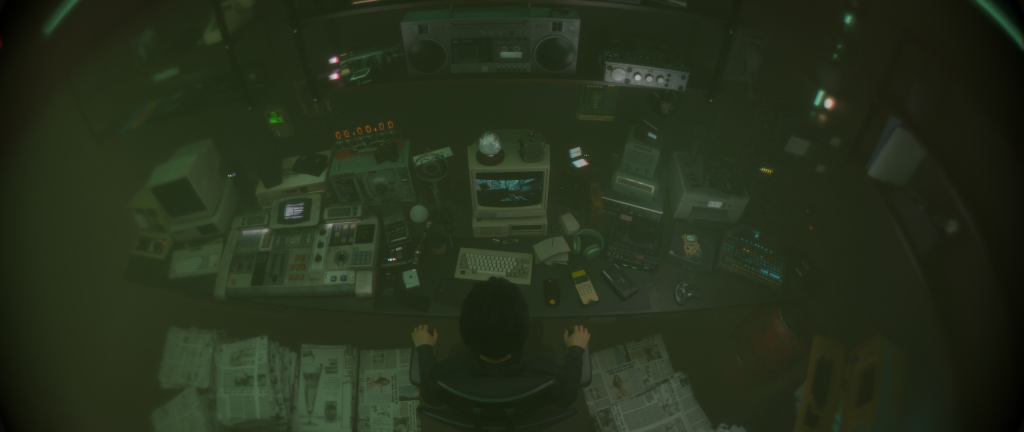
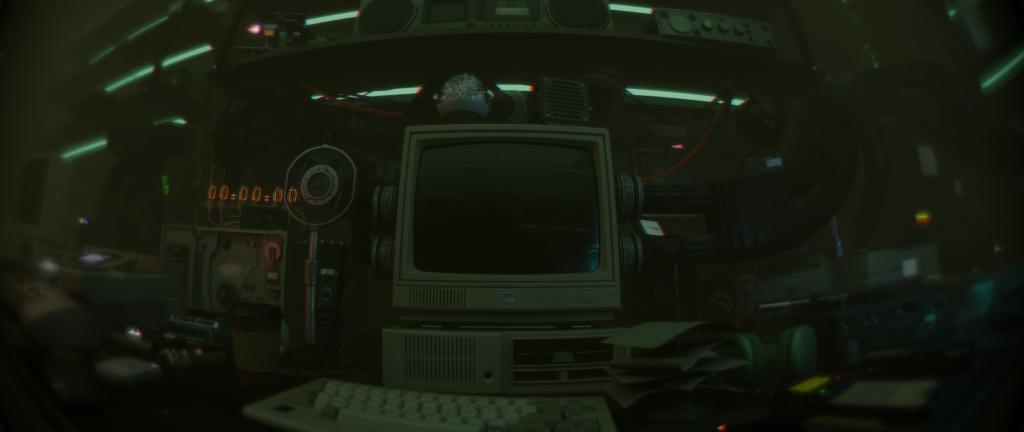
A man was playing on his computer as the room’s lights flickered. His client appeared on the screen. After watching for a while, his client happily finished a game of chess, then turned off the screen and began drinking tea.
The results are all pretty average.
Limit layout variations to those used in short storylines to avoid distractions.
Use fixed perspectives like surveillance camera angles whenever possible. This eliminates camera angle interference and keeps focus on character actions.
Avoid making opening and closing frames identical, as it makes the entire film feel static…
Current priority: Design compelling scenes with excellent layout and interactive elements.
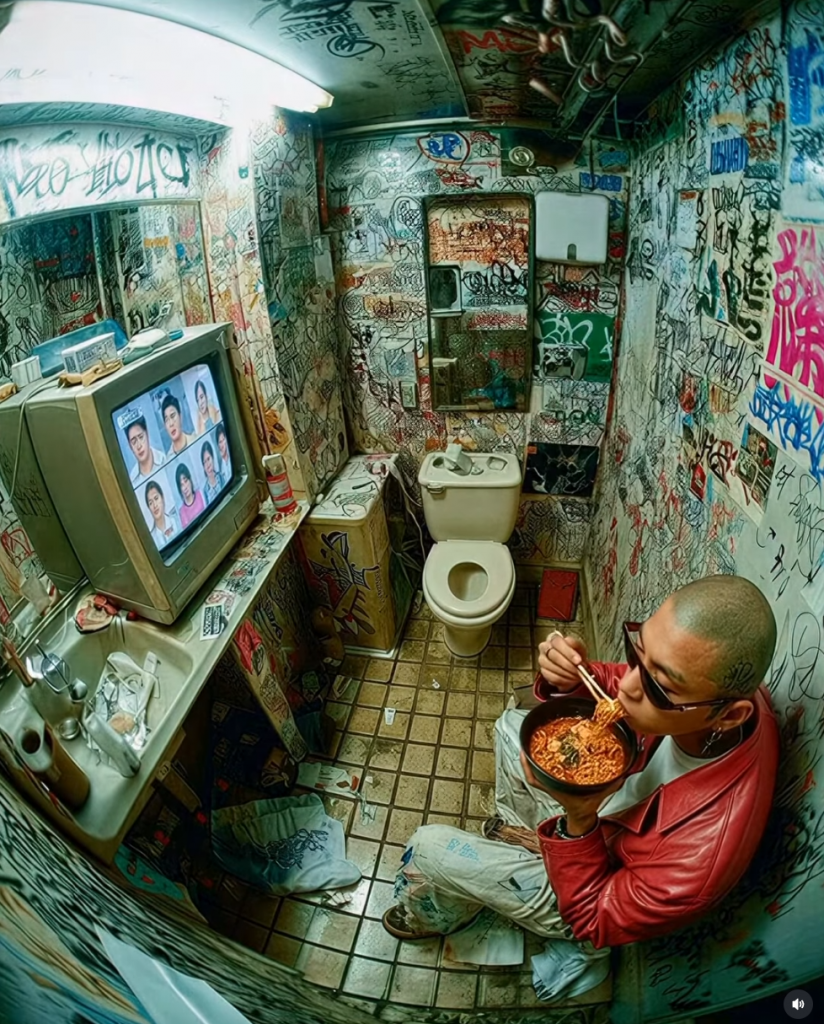
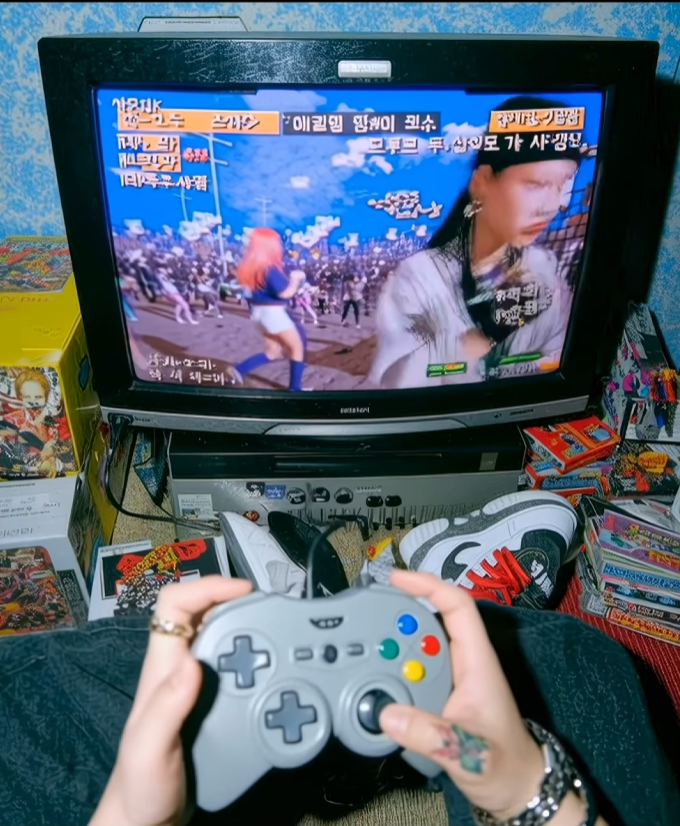
Final Scene design
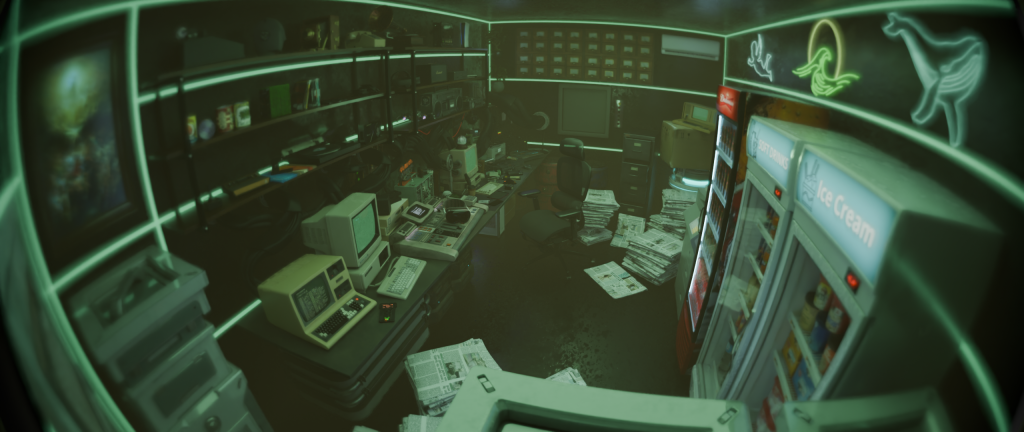
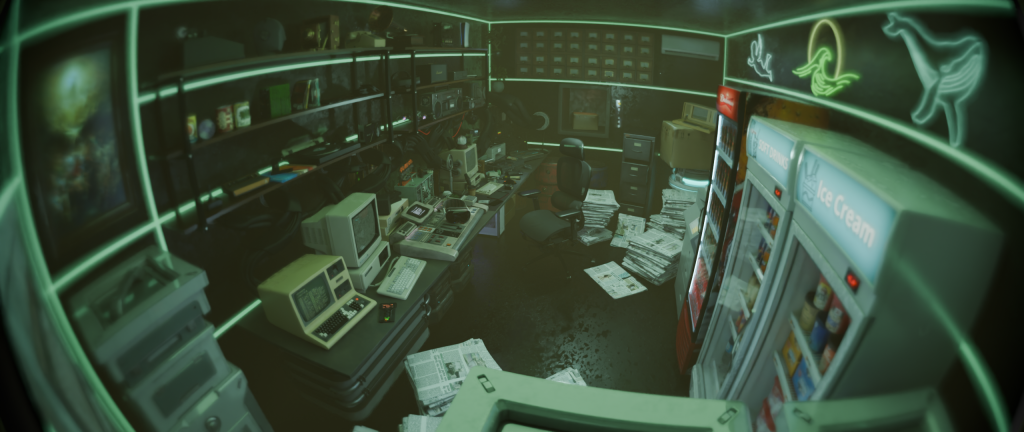
Test Hello world
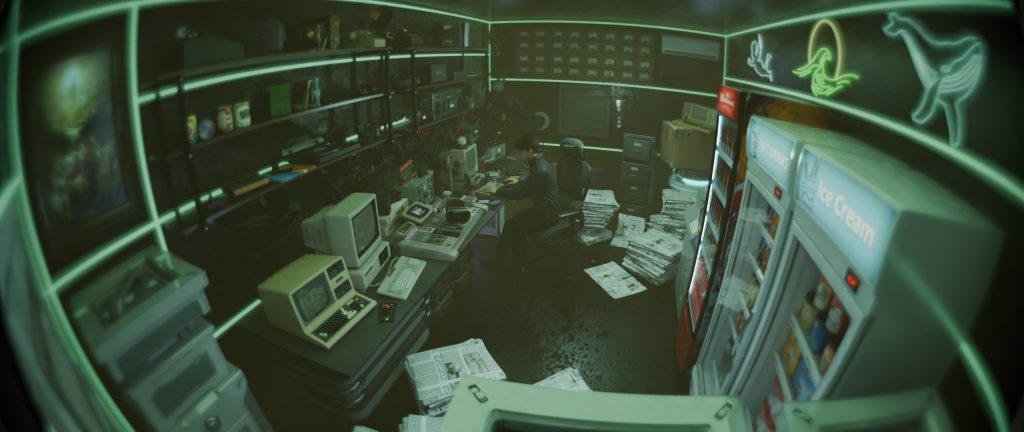
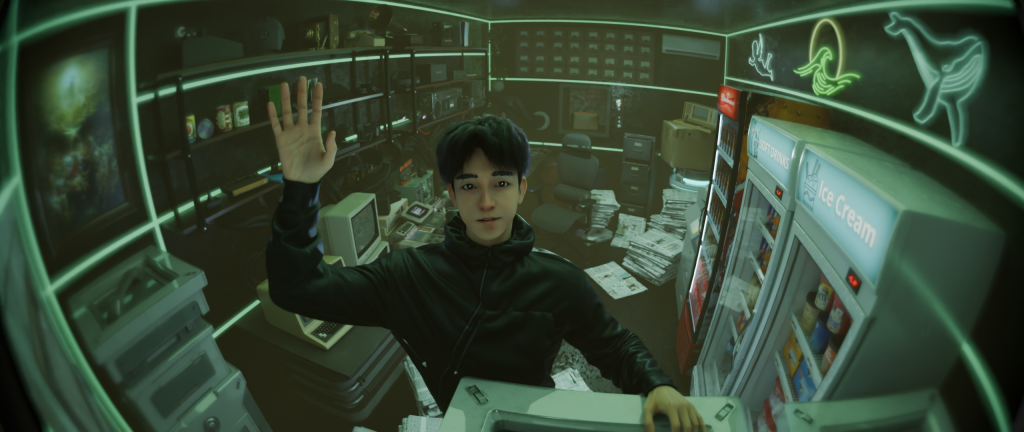
Krea ran some cheap models first, but the results were mediocre so I skipped them.
Keling’s 2.1 generated weird results from start/end frames, with severe facial distortion and poor outcomes.
Ironically, version 2.5 produced surprisingly creative results with just the start frame, though it still felt very AI-generated and faces tended to skew.
However, its element replacement feature could partially fix this: but the model version was too low, so results remained mediocre.
Compared to Krea, Kelin 2.5 offered the best clarity, more comprehensive features, and greater creativity. Yet results were generally poor—the face-swap version was too outdated, adding noticeable AI-blurring artifacts.
I really like the look of this Veo model in Krea.
But when it comes to keyframes, if you let it run freely, it just flies off the rails.
None of the facial stability tests for characters performed well. Only Kelin managed it because it has replaceable elements, but the results weren’t great either. It feels like you can only make the face appear once per shot—or not at all—and when it does appear, it has to be the keyframes I control, preferably the first frame.
Today’s Summary:
Cheaper models in Krea are subpar; only the pricier ones work reliably.
The best keyframe solution currently is Krea’s Veo 3.1 fast.
Keling works best with the latest 2.5 model for keyframes, then uses replacement elements to swap character faces. However, the replacement element’s model version is too low, degrading results.
The ceiling is breathing.
The air feels a bit strange today.
Sitting at my computer, I can sense the room gently shifting—not an earthquake, but as if the entire space were breathing together.
I look up and see the strip lights on the ceiling pulsing softly.
I stood up and reached out to touch that layer of light.
The moment my fingers touched the air, the lights flickered brighter, as if responding to my touch.
I froze there, saying nothing.
Until the breathing faded, and the ceiling grew still once more.
Video Generation Prompt
Fixed surveillance camera shot of a futuristic control room called “Heaven Administration Room”, lit by soft green neon strips. The young male administrator sits at his desk, typing. The ceiling light begins to breathe slowly — glowing brighter and dimmer in a calm rhythm. He looks up, stands, and reaches his hand toward the ceiling as if feeling something alive. When his fingers touch the air, the lights flare once, then fade back to normal. He lowers his hand and stands still in silence.
Keywords: fixed camera, sci-fi realism, soft neon light, calm surreal mood, volumetric atmosphere, subtle ambient reflections, cinematic tone.
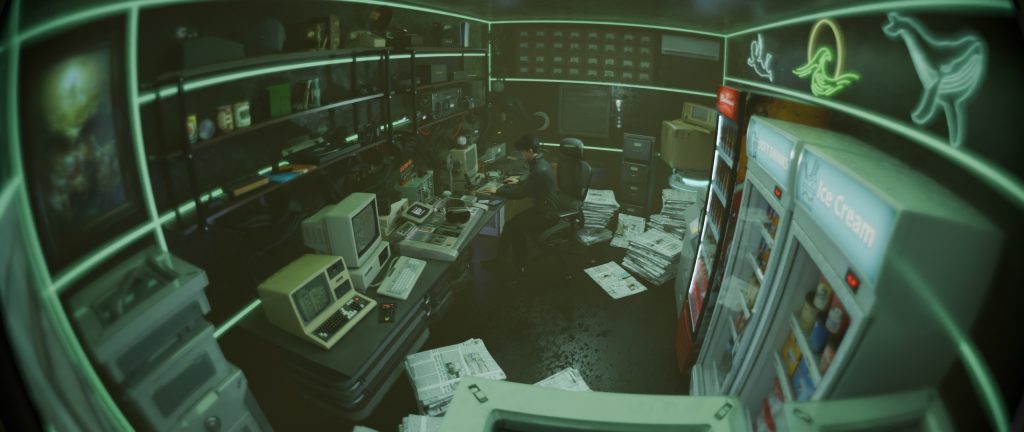
First and Last Frame Description
**First Frame**
– Character: Seated at a desk, back slightly hunched, hands resting on keyboard;
– Expression: Focused, quiet;
– Environment: Computer screen emits flickering green light, ceiling light strip steady;
– Lighting: Even and soft, air carries a slight haze.
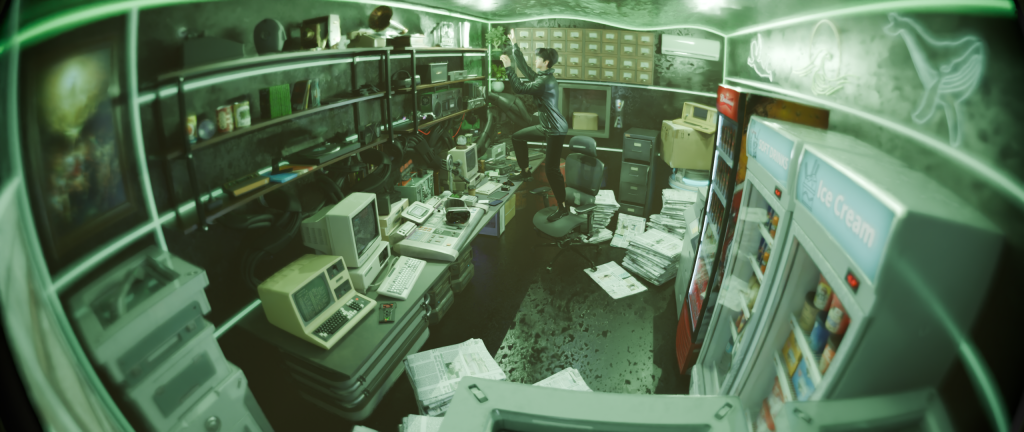
**Final Frame**
– Character: Standing, body leaning forward slightly, right hand reaching toward the ceiling;
– Expression: Calm with a hint of surprise;
– Fingertips reflect a faint halo of light;
– Environment: Light strips at maximum brightness, room filled with green light;
– Air feels slightly stagnant, host screen’s reflection visible on the floor.
Remember to use the Veo 3.1 fast version!!! Don’t use the model without fast.
That one is ridiculously expensive and messes up the character models.
One video used up 43% of my basic plan!!!!
Using fast only takes about 20%. I’ll have to switch to pro no matter what.
Full Version
The Wind Inside the Printer
Today when the host system booted up, the printer beeped on its own.
I hadn’t sent any print jobs, nor was there any signal prompt.
Yet there it was, spitting out blank sheets one after another.
Nothing at all on the paper.
I reached out and took one sheet. A faint breeze stirred at its edge.
The wind slipped through my fingers—cool, pure, as if carried from far away.
I looked down—
Another sheet was still emerging from the print slot. Light shimmered faintly through the paper’s reverse side, as if tracing the outline of a person.
I hesitated, then left the page where it was.
The breeze ceased. The printer fell silent.
Quiet returned to the room, leaving only a small mountain of white paper piled on the desk.
Prompt
Fixed surveillance camera view of the Heaven Administration Room, a neon-lit futuristic office with computers, screens, and a printer beside the desk. The administrator sits working quietly. The printer suddenly starts printing by itself, ejecting blank white pages. The papers flutter slightly as if a breeze comes from inside the printer. The administrator stands, picks one sheet up, feels the air flowing through it. Light from the printer glows softly, revealing a faint human silhouette on the paper. The room falls silent again.
Keywords: fixed camera, surreal minimalism, eerie calm, slow pacing, white paper fluttering, faint glowing silhouette, green neon ambient, cinematic realism.
First and Last Frame Descriptions
**First Frame**
– Character: Seated at the computer, head down working;
– Environment: Printer stationary, paper stack neatly arranged;
– Lighting: Steady green neon;
– Atmosphere: Quiet, stable.
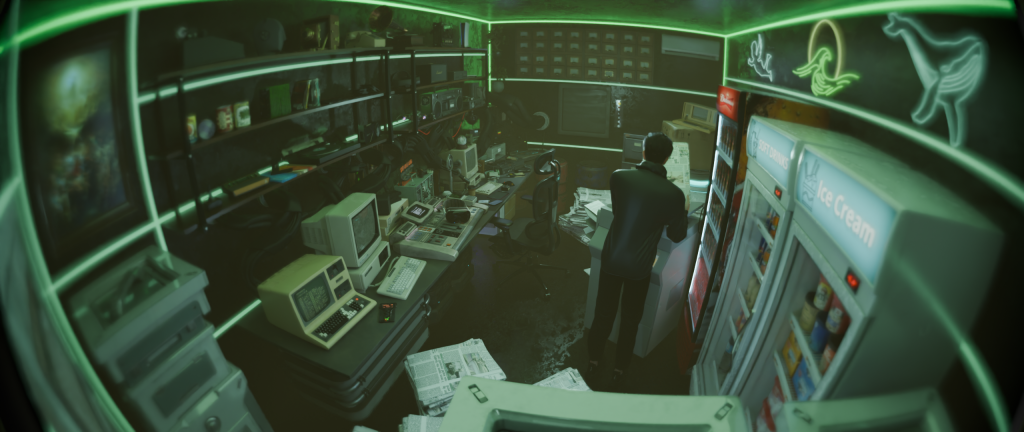
**Last Frame**
– Character: Standing beside the printer, right hand holding a sheet of white paper;
– Paper edge slightly curled, light shining through from below;
– Expression: Staring, slightly startled;
– Environment: Paper scattered on the floor, half-ejected paper still inside the printer;
– Lighting: Soft white glow emanating from the printer’s output tray, other lights dimmed.
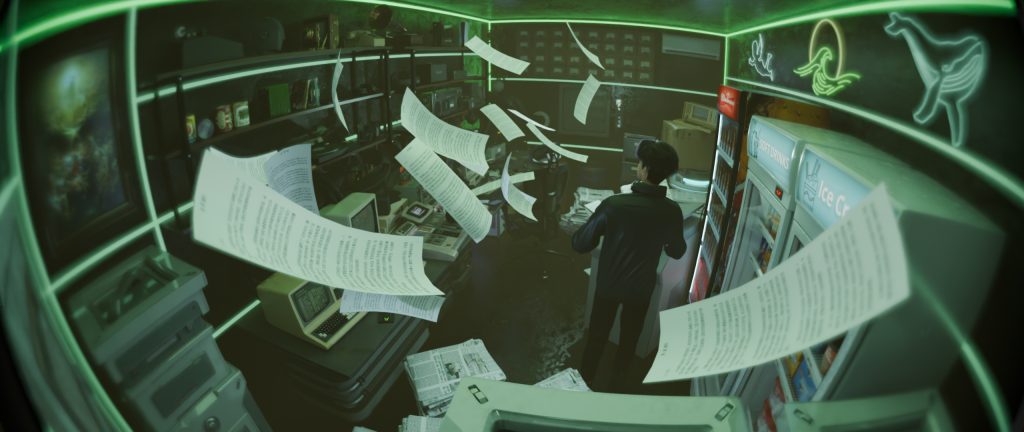
result
The monitor is broken.
Today, the middle monitor on the main host suddenly went black.
No explosion, no smoke—just… completely black.
I tapped it. No response.
Tapped a few more times. The screen flickered, like someone inside was blinking.
I froze. After that flicker, the screen went black again.
I leaned in, getting very close.
My own face reflected on the black screen, but the corners of that reflection’s mouth twitched, smiling before I could.
I took half a step back and gently switched off the main power.
All the monitors went dark simultaneously, plunging the room into a deep green gloom.
Only the hum of electricity filled the air.
Prompt
Fixed surveillance camera view of the Heaven Administration Room — a futuristic desk filled with computers and glowing screens. Suddenly, the central monitor goes completely black while others keep working. The administrator notices, taps the screen several times, and it flickers once — showing a brief human-like eye blink or a faint smile reflection. The room’s neon light dims slightly. The administrator leans closer, then slowly powers off all monitors, leaving only a dim green glow in the air.
Keywords: fixed camera, moody lighting, eerie realism, sci-fi atmosphere, green neon reflections, broken screen flicker, surreal tension, quiet soundscape.
First and Last Frame Descriptions
**First Frame**
– Character: Seated before the main console, three monitors illuminated; the central display shows normal output;
– Environment: Neon green light casts a glow upon his face;
– Posture: Relaxed, engaged in work;
– Room stable, no anomalies.
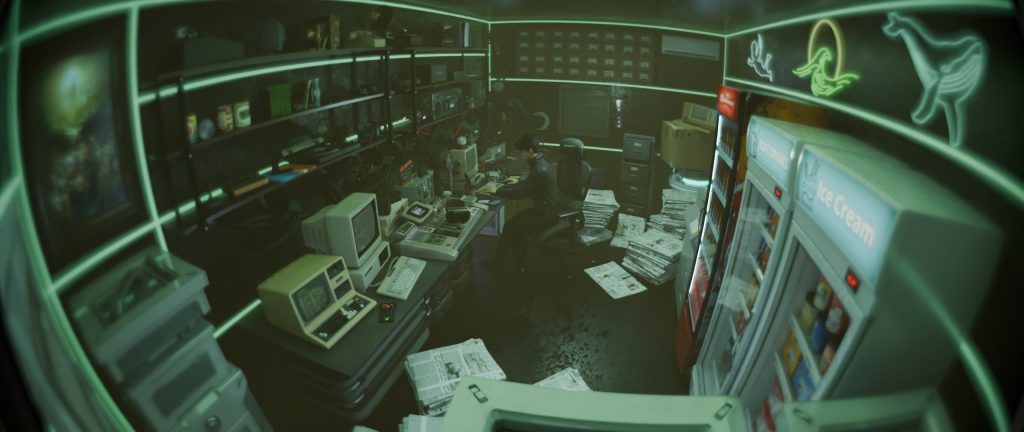
**Final Frame**
– Character: Standing, right hand near the main power switch;
– All monitors dark, ambient light only;
– Background dark green;
– Expression: Calm yet slightly alert;
– A faint smile reflected in the blackened screens.
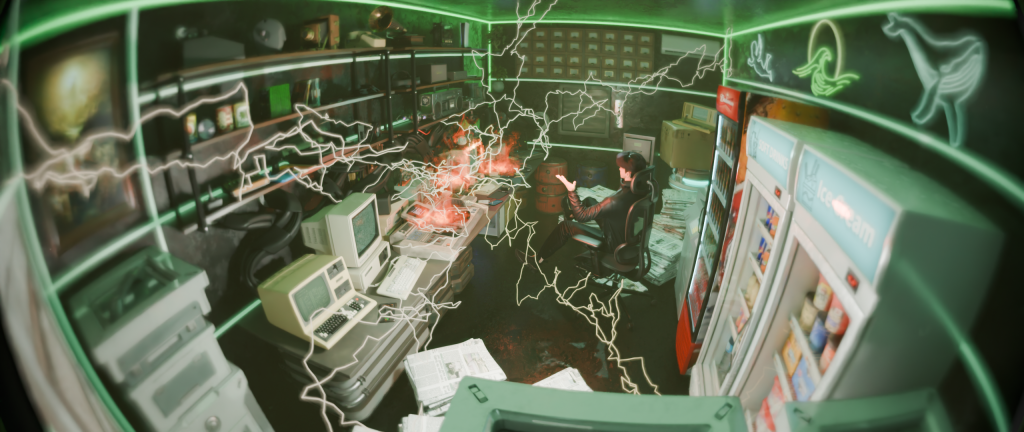
A new package has arrived.
Today the portal beeped.
I received a package labeled:
> “Display Device Update: Heaven Vision Pro”
I plugged it in, and the screen lit up automatically, displaying nothing but a blank white interface.
As I approached, it automatically adjusted its angle, as if “looking” at me.
Then, a message appeared on the screen:
> “Administrator fatigue detected. Switch to sleep mode?”
I stared at it for a few seconds and smiled.
Then I clicked “No.”
The screen fell silent, leaving only the glowing ring slowly rotating, as if stifling a laugh.
Prompt
Fixed surveillance camera shot of the Heaven Administration Room. The administrator receives a new package through a glowing wall portal. He opens it, revealing a sleek futuristic monitor labeled “Heaven Vision Pro”. He sets it on the desk and powers it up. The screen glows pure white, adjusts its tilt automatically toward him, and displays a short message: “Detected fatigue. Switch to sleep mode?” He smirks, taps “No”, and the device’s circular light quietly spins, reflecting on his face.
Keywords: fixed camera, subtle humor, futuristic design, soft white-blue lighting, reflective metal, cyber-minimalism, calm tone, small gestures focus.
First and Last Frame Descriptions
**First Frame**
– Character: Seated at a desk, head down organizing shipping boxes;
– Environment: Portal emits soft glow, several old packages on the wall;
– Lighting: Even, green key light maintained.
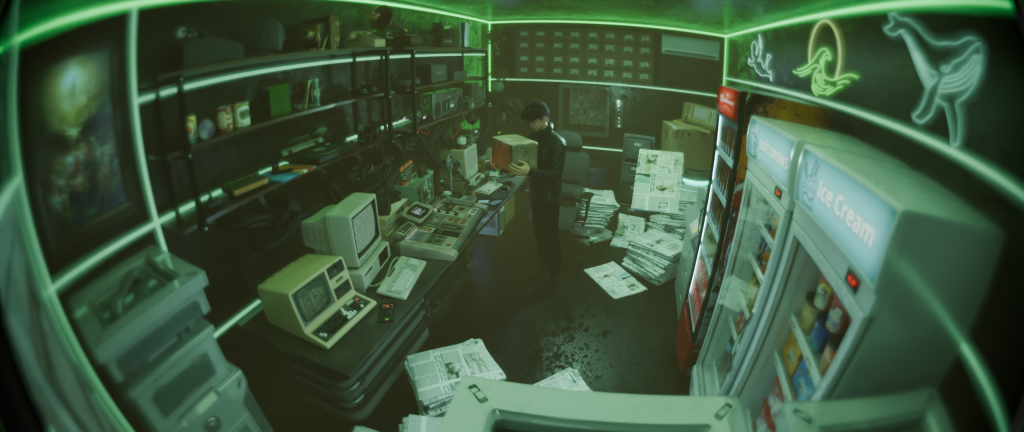
**Last Frame**
– Character: Seated, leaning forward slightly;
– New monitor on the desk emits soft white light, illuminating his face;
– A sentence lingers on the screen (blurred but visible): “Detected fatigue”;
– A faint smile plays on his lips;
– Environment: Portal light fades, room returns to quiet.
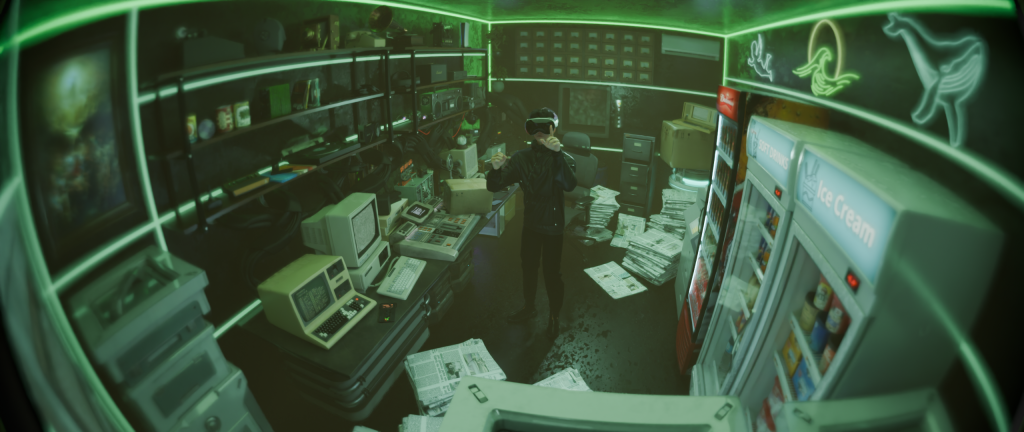
Mirror Test
When I turned on my computer this morning, Heaven Vision Pro launched automatically.
Instead of displaying tasks, it popped up a prompt:
> “Performing visual calibration. Please keep your gaze centered on the screen.”
I complied.
The screen went black, then began reflecting my face.
I thought it was a reflection, but that face blinked—half a second faster than mine.
I tried raising my hand, and the face raised its hand too, though slightly slower.
The delay was about 0.3 seconds.
I smiled faintly. The face didn’t smile.
The screen suddenly lit up, displaying a message:
> “Calibration complete. Thank you for your cooperation.”
Then it shut down automatically.
Silence returned to the desk, leaving only my lingering image on the screen, slowly fading away.
Fixed surveillance camera shot of the Heaven Administration Room. The administrator sits at his desk, facing a new futuristic monitor labeled “Heaven Vision Pro.” The screen glows white, then turns black, reflecting his face like a mirror. He moves his hand, and the reflection lags slightly behind. He smiles faintly — the reflection does not. The monitor suddenly displays the text “Calibration complete. Thank you for your cooperation.” Then the light fades out, leaving the room in calm green shadows.
Keywords: fixed camera, eerie calm, reflective surfaces, cyber-minimalism, human–machine symmetry, surreal lighting, green and white contrast.
Rewrite it this way: You need to consider the entire situation from this perspective, so emphasize the big picture. Additionally, AI video isn’t great at maintaining facial consistency, so try to avoid shots focusing on the character’s face whenever possible.
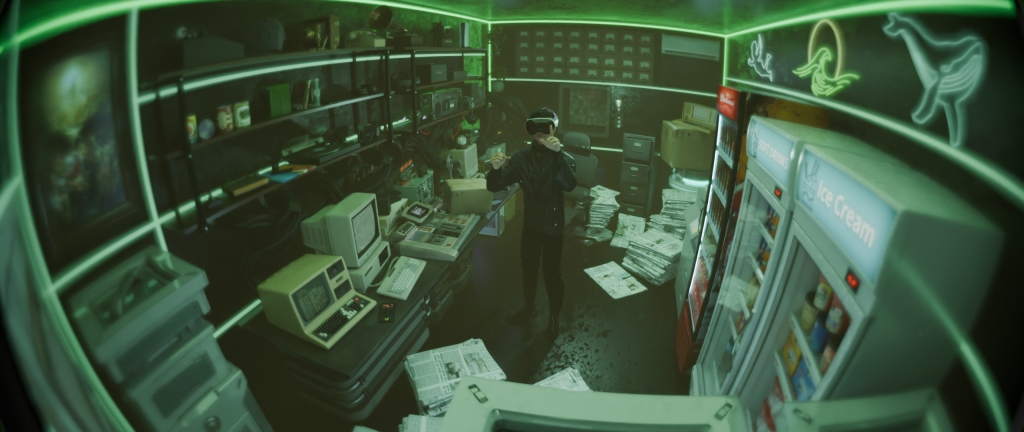
This series of visual narratives will be framed from a **“surveillance panorama”** perspective, rather than through subjective character points of view or close-ups.
The camera acts as a silent observer, merely documenting events as they unfold—without interference or interpretation.
Li Xun·Eon becomes an “variable” within the scene’s actions, not the narrative’s subject.
—Thus the focus shifts to spatial light, the state changes of objects, and his interactions with them.
Based on the new footage you provided (Li Xun wearing the device, standing in the room’s center), I’ve rewritten the version for **Day 5: Vision Test**.
The portal flickered once.
The administrator donned new equipment in the center of the room, model confirmed: **Heaven Vision Pro**.
He stood still for several seconds before surveying his surroundings.
The lights from the freezer and main unit began automatically adjusting their brightness, synchronized with the device’s flashes.
Newspaper pages fluttered gently in the air current, and the neon patterns on the wall momentarily lost focus.
The administrator raised his hand, as if touching an invisible interface in the air.
Seconds later, he removed the visor, looked down, seemingly verifying some data.
Everything in the room returned to normal.
Leave a Reply